Scheduling that plans with you
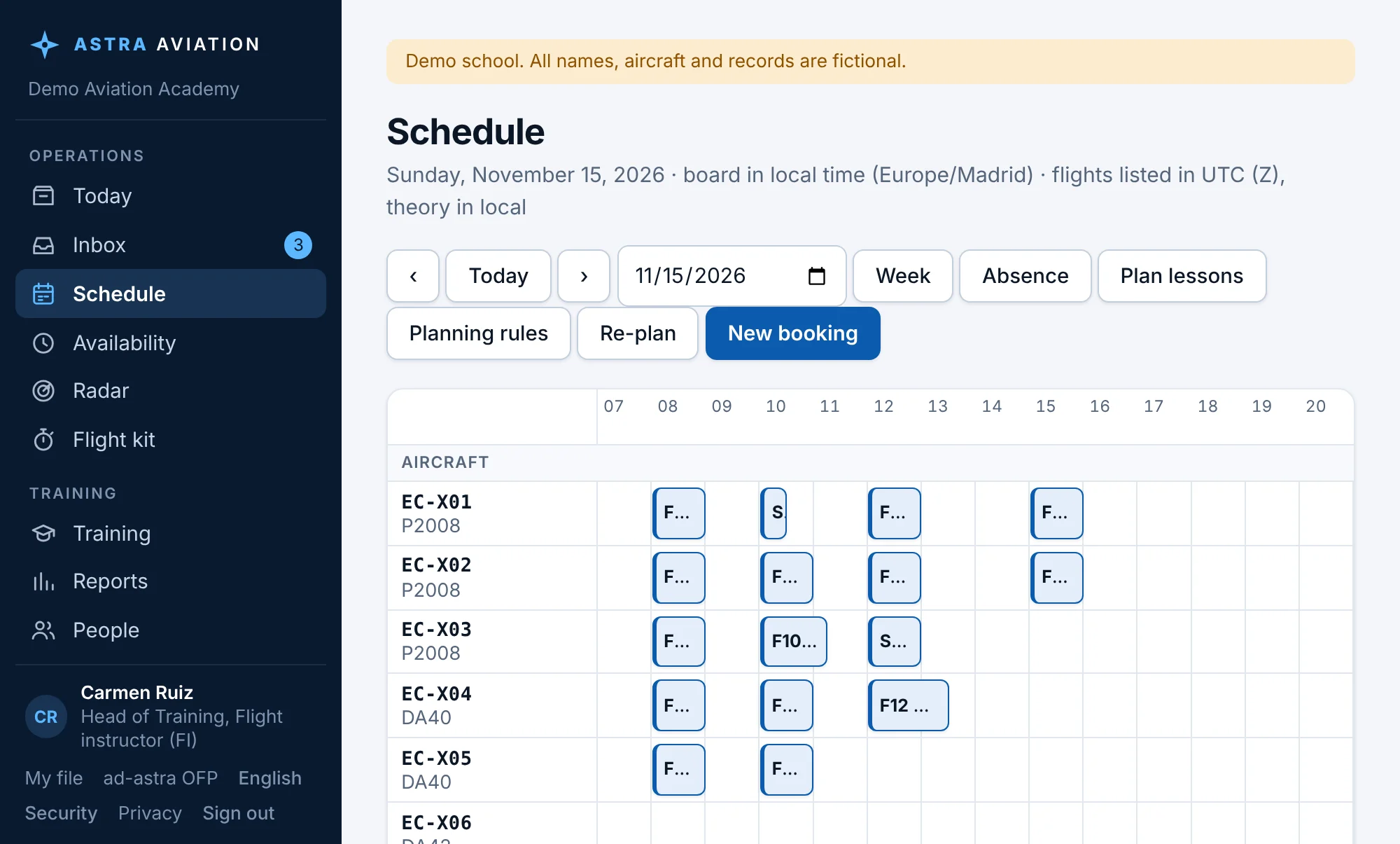
Day and week boards, a week planner that proposes lessons within all the rules, availability for modular students, a standby list for cancelled slots.
For EASA flight schools · ATO and DTO
Your next week of lessons planned automatically in about half a minute, within every rule. Then scheduling, training records, flight documents, finance, safety and compliance in one system, where every booking is checked before it happens.
Auto-planning
Press Plan lessons, pick the days, and the planner works out every waiting student's next lessons with the right instructor, aircraft and time. It is a real optimiser (Google OR-Tools), not a list of free slots.

Booking checks
Choose a student, a lesson, an instructor and an aircraft. Before anything is saved, Astra checks the whole picture and explains each problem in plain words.

Features
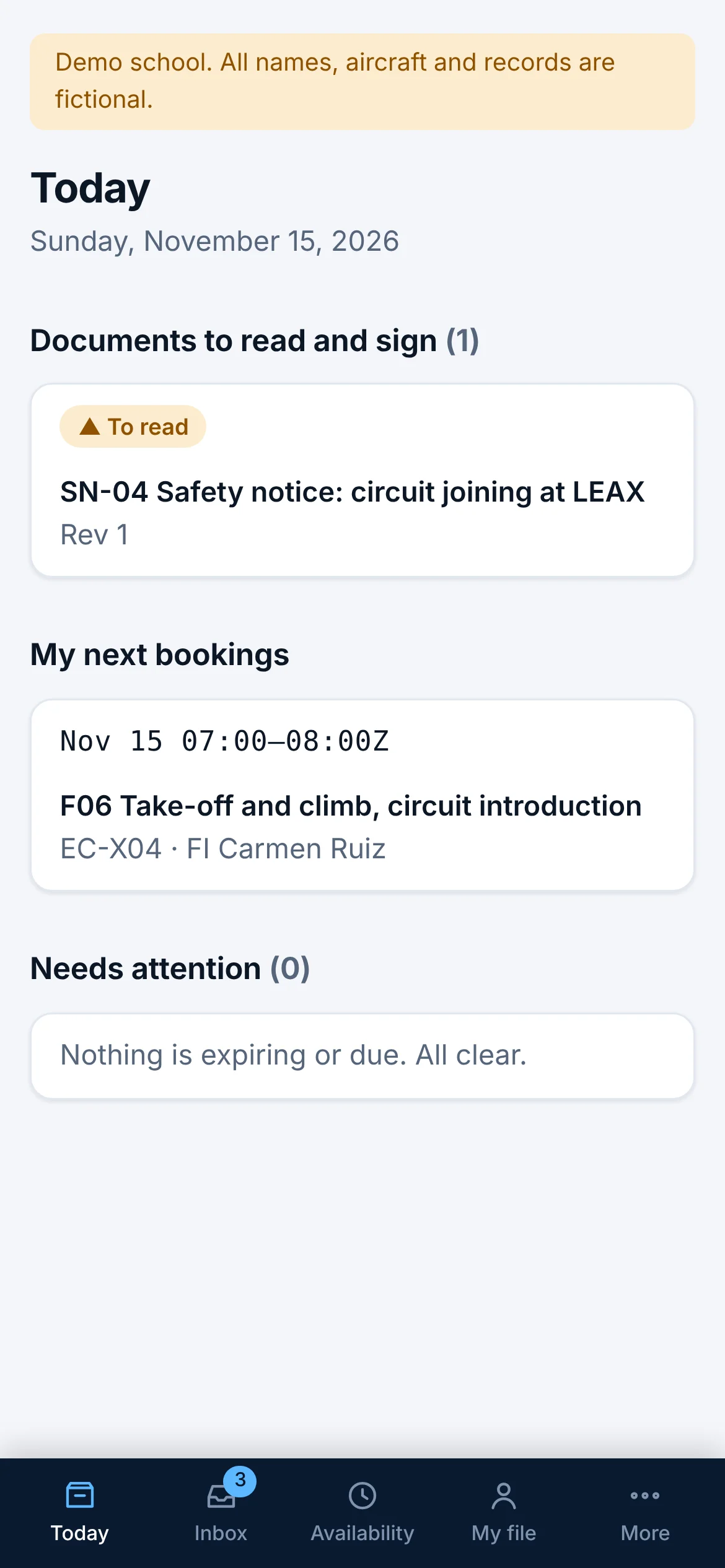
Change one thing and the rest follows: a signed lesson updates progress, the logbook, aircraft hours and the student's account.
Day and week boards, a week planner that proposes lessons within all the rules, availability for modular students, a standby list for cancelled slots.
Syllabus with phases and exercises, graded and signed lesson records that are never overwritten, progress, logbooks and a printable training file.
Students send their OFP, mass and balance and flight plan from the planner. The instructor approves or sends back, every version kept with the flight.
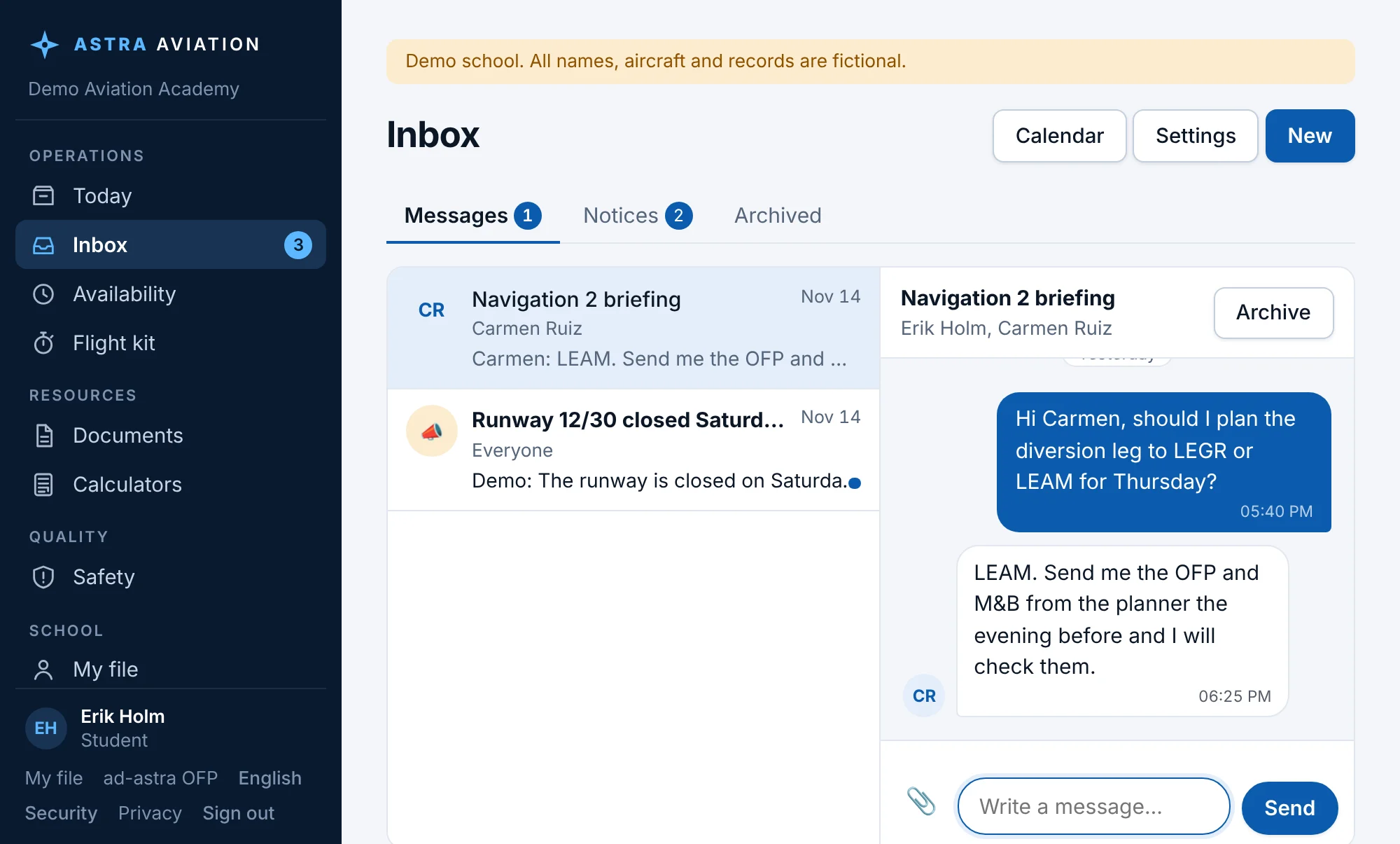
Private messages, announcements to groups and every notice in one place. Students sign in with a username; email is optional.
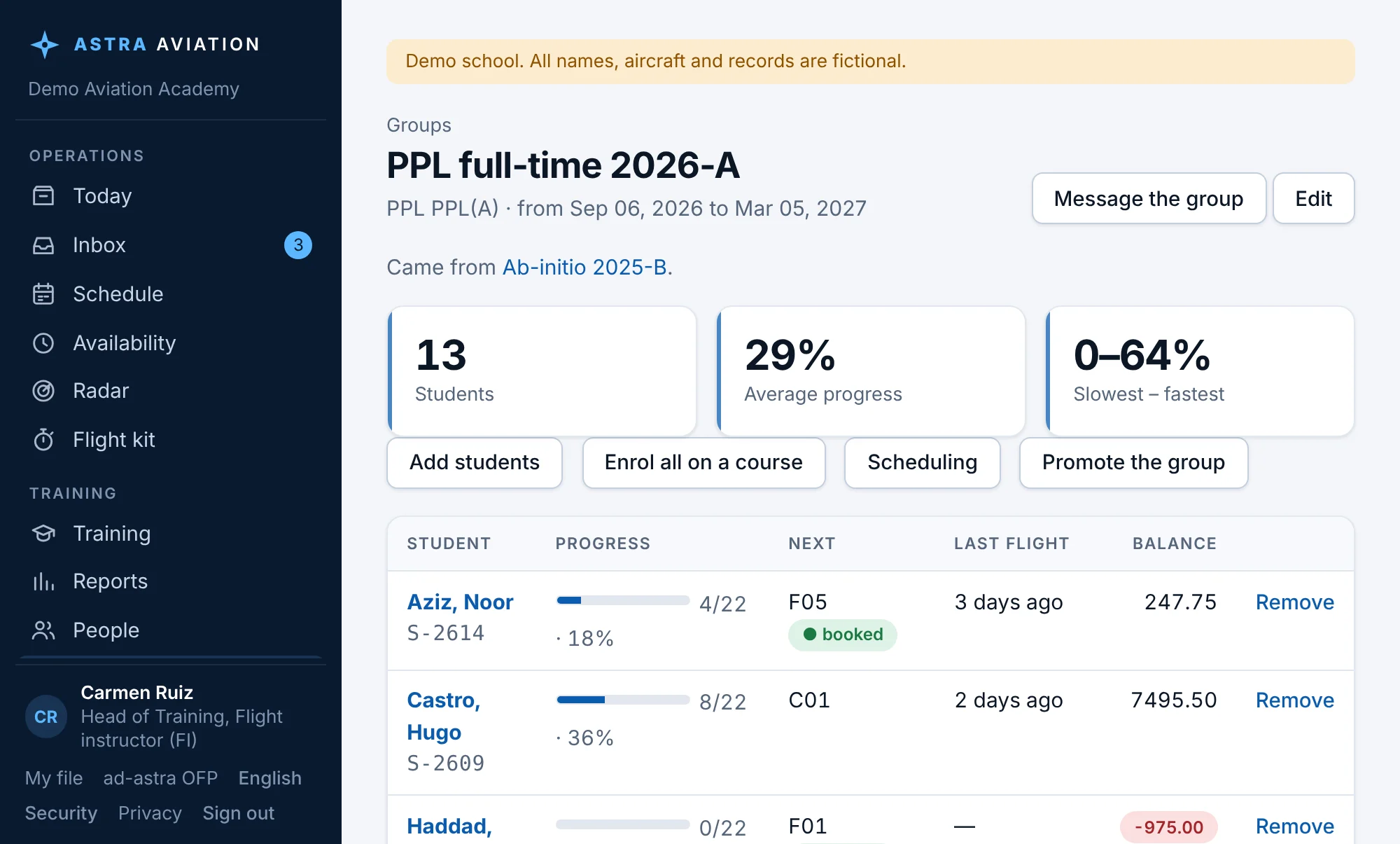
Classes and intakes with a progress board, enrol a whole group on a course, message it, and promote it to the next phase with its history.
Flights charged automatically, hour packages, invoices with gap-free numbers and VAT, payment reminders that are sent once and only when due.
Confidential safety reports with the 72-hour clock for mandatory occurrences, audits and findings with deadlines, manuals people read and sign.
Hours that cannot go backwards, maintenance due by hours or days, aircraft documents with expiry, all feeding the booking checks.
Owner, managers and staff in a tree: each gives only the roles of their area. Adjust any role, or one person's access, in a clear grid. Everyone sees only the menus they can use.
An integrated ATP course from zero, or modular steps in order (PPL, ATPL theory, CPL, IR, ME, MCC) with credit for steps done at another school. Theory subjects, hour minimums and stage checks per course.
Anyone reports a defect with photos, in seconds. Fleet staff ground the aircraft, defer it against a MEL/CDL item with a date or hours limit, record the fix and the release to service. Bookings follow.
Private read-only links: an examiner sees the training file, a sponsor sees progress. Lessons go to Google, Apple or Outlook calendar. Licences and medicals warn at 90, 30 and 7 days.
For your team
ad-astra OFP planner · free, no account
ad-astra is the flight planner built into Astra Aviation, and it is open to every pilot: no account, no app store, and it keeps working on a phone with a weak signal.
A training aid, not an approved navigation source: always check the official AIP, NOTAMs and weather.

Astra Exams · add-on
Astra Exams is a question bank and exam engine for EASA ATPL and PPL theory. Schools add it to Astra Aviation; students will also be able to use it on their own.
Study by subject and syllabus topic, then sit timed mock exams in the format of the authority's exams.
Scores per subject and topic over time, so students and theory instructors see what to work on before the real exam.
With the add-on, students and training staff open Astra Exams from their menu and are signed in at once, under the school's licence.
Live demo
A fictional school with students, instructors, aircraft and a full day on the board. Switch between owner, head of training, instructor, student and accounts with View as. Nothing you do is saved.
Security and data
Schools are separated inside the database itself, so one school can never see another's data, not even through a programming mistake.
Signed lesson records, licences and account lines are kept as versions. A correction is a new signed version with a reason; the history stays.
Export everything your school has stored, in one file, whenever you want. Hosted in the EU.
A code from an authenticator app besides the password: required for owners and administrators, available to everyone, with recovery codes for a lost phone.
Sign-ins, changes, shared links and every opening of them go to an activity log that nobody can edit.
The database is backed up before each new version goes live, and an update that does not start correctly is rolled back.
Getting started
FAQ
Flight training organisations under EASA: approved training organisations (ATO) and declared training organisations (DTO). The terms and checks follow Part-FCL, Part-ORA and Part-MED.
We are onboarding a small number of schools in early access. Request a demo and we will talk about early-access pricing for your school's size.
No. Everyone signs in with a username and gets an inbox inside the system. An email address is optional, for copies of notices.
It looks at each student's next lessons in syllabus order and places them with an instructor who may teach them, an aircraft of the right class and a time that fits everyone, then scores the plan by your preferences (own instructor, spread over the week, balanced hours). It shows up to three different good plans; nothing is booked until you choose one.
Yes. An integrated course (for example ATP(A) integrated) is one course with its phases inside. A modular route is a programme of separate courses in order, such as PPL, ATPL theory, CPL, IR and ME, and a student can join with steps already done at another school. Each school builds its own courses from templates and its approved manual.
Yes. Anyone can open it without an account. Inside a school, it also attaches the OFP to the student's booking for the instructor to approve.
People come in from a spreadsheet in one step. Courses, aircraft and rates are set up with you during onboarding.
It works in any phone browser and can be added to the home screen like an app. Dedicated mobile apps are planned.
No. Your approved manuals stay the reference. The system follows your syllabus and your rules, and keeps the records your manuals require.
Request a demo
Tell us a little about your organisation. We reply personally to arrange a short video call.